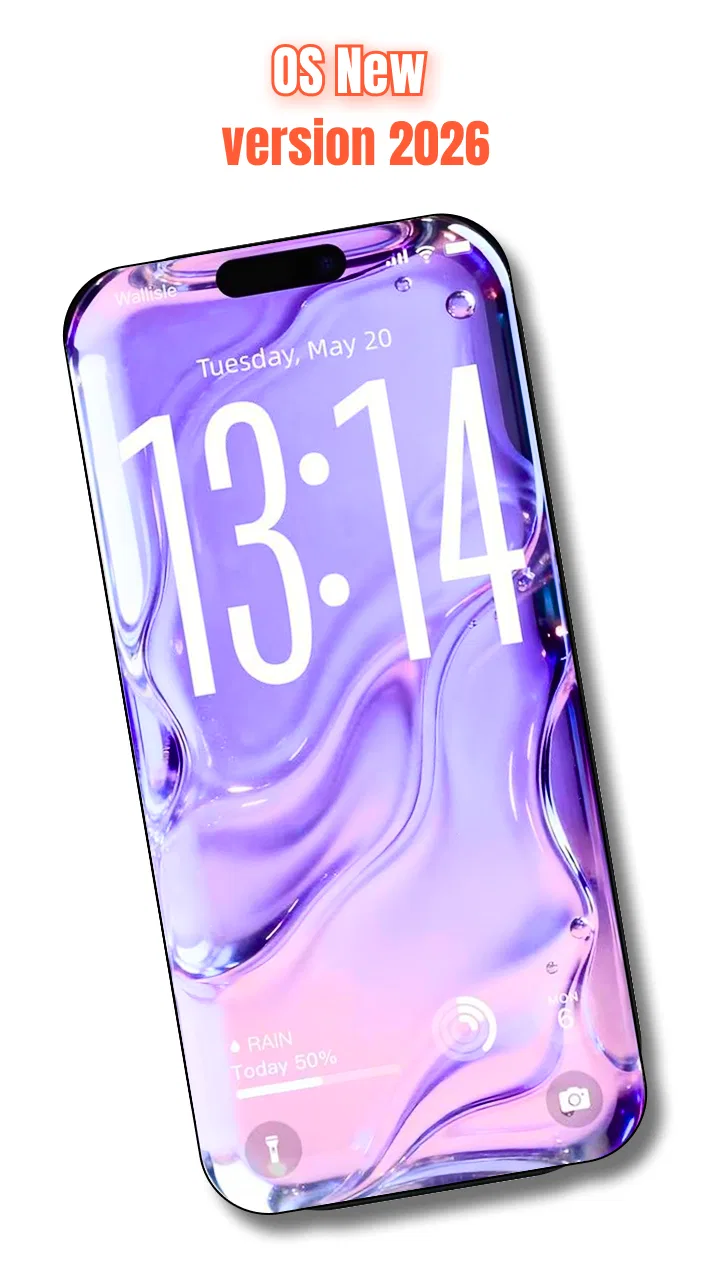
Personalized OS UI Experience
- 4.6
- Rating
- 100.00K
- Installs
- Free
- Price

 Analysis by App-foxy
I like personalization apps that change the feel of a phone without pretending to replace the entire operating system. Personalized OS UI Experience, from Neli Creative, takes that approach with an interface makeover built around deep-effect wallpapers and a custom quick access menu. After spending time with it, I see it as a visual and practical customization tool rather than a full launcher replacement.
The appeal is easy to understand. A familiar phone can start to feel stale even when it still works perfectly, and a new wallpaper alone often does not create much of a difference. This app adds a more noticeable layer of personality while keeping the idea of quick access at the center. Its store summary presents it as a way to move toward an OS 26-style experience, but the useful question is whether the visual change feels comfortable in daily use and whether the controls remain clear.
It is a free personalization app for Android, rated for Everyone, with optional purchases ranging from a few dollars to the high twenties per item. The current release is version 1.2.4 and requires Android 9 or later, so it is aimed at a broad range of phones rather than only recent premium models. The app has passed the early discovery stage with over one hundred thousand installs and a 4.6 average from around 1.4 thousand ratings, which gives it a reasonable starting point for anyone deciding whether it is worth trying.
You May Also Like

 Blood Strike: 2.5 Anniversary
Blood Strike’s Loadouts Turn Every Drop Into a Tactical Gamble
A close look at Blood Strike’s custom loadouts: how fast access to signature weapons reshapes its battle royale rhythm, rewards preparation, and narrows the gap between fights.

 Pandora - Music & Podcasts
Pandora’s Music Is Easy to Start, but Harder to Recover
Pandora’s strength is its low-effort path from a seed to a station. Its weak spot is how much confidence it asks you to place in connection, setup, and quiet recovery.

 8 Ball Pool
8 Ball Pool Is Built on Rivalries, Rematches, and Routine
A close look at the rivalries, rematches, shared routines, and unanswered safety questions that turn a quick pool match into a persistent mobile community.

 Samsung Music
Samsung Music’s Quiet Strength Is Playing What You Already Own
Its reach comes less from spectacle than from dependable access to a personal library. That simplicity is both the app’s strongest retention engine and its ceiling.

 AccuWeather: Weather Radar
AccuWeather Review: A Quick, Clear Forecast for Everyday Decisions
For everyday plans, the best forecast is the one you can understand quickly. AccuWeather makes rain timing, radar, and local conditions easy to act on, with a few trade-offs.

 Hill Climb Racing
Why Hill Climb Racing Still Turns Crashes Into One More Run
A tiny car, a bumpy hill and one more upgrade: Hill Climb Racing keeps resurfacing because its simple chaos makes every near-miss feel personal.
More From Our News Desk



What the visual redesign feels like in everyday use
The strongest part of the experience is the attempt to make the wallpaper feel layered instead of flat. Deep-effect imagery can give the screen more depth, especially when the subject is framed carefully and the icons do not compete with the main visual focus. I found that the result depends heavily on the wallpaper itself. A clean subject with open space works better than a busy image, because the effect needs room to remain readable.
This is an important distinction from ordinary wallpaper apps. A typical wallpaper picker is mainly about browsing and applying pictures. Here, the point is the relationship between the background and the surrounding interface. If you enjoy adjusting the look of your home screen, the app offers a more deliberate visual direction. If you simply want a photo behind your icons, a standard gallery or wallpaper tool may be quicker and less distracting.
The custom quick access menu is the other meaningful part of the package. I see it as most useful when you want frequently used actions or destinations closer to hand without repeatedly searching through the phone. The benefit is not just speed; it is consistency. A well-organized access point can reduce the small amount of friction that builds up when checking something several times during a busy day.
That convenience comes with a design trade-off. Any custom menu introduces another visual layer to learn. At first, I had to pay attention to where the menu appeared and how it fit into my existing habits. People who already use their phone's built-in shortcuts efficiently may not feel a dramatic improvement. The feature becomes more worthwhile when your normal routine involves jumping between a small group of tools and you prefer a personalized arrangement over the default system presentation.
Trust starts with what the app visibly asks you to do
Personalization software deserves a closer look than a decorative app because it can affect the way a phone is used every day. I judge it first by the choices presented during setup: whether the purpose of each step is understandable, whether I can back out without losing control, and whether the app makes its customization role clear instead of trying to blur the line between an add-on and the operating system itself.
With this app, I would approach setup deliberately rather than tapping through every screen automatically. Read each request in context, check what the selected option changes, and avoid enabling anything you do not need for the particular wallpaper or access workflow you want. That habit matters more than a polished interface. A nice-looking theme is not a reason to give an app broader control than its main function requires.
I also recommend reviewing the phone's system settings after experimenting. Android provides places to inspect app access, notifications, battery behavior, and other controls. The exact labels can vary by device, but the principle is the same: a personalization app should remain understandable and reversible. If you cannot explain what a setting does, pause before accepting it.
This is where the app's free entry point is helpful. You can explore its basic visual direction before deciding whether an optional purchase is worthwhile. I would not pay immediately just because a premium-looking design catches my eye. First, I would apply a style, use the quick access arrangement for several normal routines, and see whether it still feels useful after the novelty fades.
Permissions, purchases, and the moments that deserve attention
The most sensitive moments are not limited to installation. They include applying a design, changing how quick access behaves, accepting a purchase, and leaving the app running in a way that affects the phone's normal rhythm. I would treat each of these as a separate decision rather than assuming that one approval covers everything that follows.
Before installing, check the permission panel shown by your device and compare each request with the task you want to perform. I am deliberately not treating a permission as harmless simply because the app belongs to the personalization category. A wallpaper tool may need one kind of access for an image, while a shortcut layer may involve another system-level choice. The sensible approach is to grant only what is clearly connected to the feature you are using.
The optional pricing also deserves a calm look. The app costs nothing to start, but individual in-app items can range from $2.99 to $29.99. That is a wide enough spread that I would inspect the purchase screen carefully, confirm exactly which item is selected, and avoid assuming that one payment unlocks every future design. If you are setting up a phone for a child or sharing a device, purchase controls are especially important even though the content rating is Everyone.
A practical test is to use the app for a few days without buying anything. Try the wallpaper in bright and dim conditions, check whether icons remain legible, and see whether the quick access menu helps when you are in a hurry. If the visual effect looks impressive only during the first five minutes, saving the money is the better decision. Personalization should improve daily comfort, not create another subscription-like habit of collecting designs.
How I would use it without giving up control
My preferred workflow would be gradual. I would begin with one wallpaper and a small, familiar set of quick actions. Keeping the first setup simple makes it easier to tell whether the app itself is useful or whether I am merely reacting to a dramatic new appearance. Once the layout feels natural, I would make one change at a time instead of rebuilding the entire interface in a single session.
There is a less obvious advantage to this method: it creates a personal baseline. If the phone later feels slower, more cluttered, or harder to navigate, you can identify which change caused the problem. This is much better than applying several visual and access modifications together and then trying to remember what you changed.
Another useful habit is to keep a conventional fallback. Take note of your previous wallpaper and remember how to return to the standard system arrangement. That does not mean expecting failure; it simply protects your time. If you lend the phone to someone, troubleshoot a problem, or decide the customized menu is not for you, returning to a familiar setup should be straightforward.
I would also separate appearance from essential access. The phone's built-in settings and standard navigation should remain the dependable route for important actions. A custom menu can be convenient, but it should not become the only way you know how to reach something. This matters particularly for people who switch between devices, use accessibility settings, or frequently help family members with their phones.
For a realistic everyday example, imagine checking messages during a commute, opening a note while shopping, and switching to a timer while cooking. A carefully arranged quick access menu could make those transitions feel smoother because the same entry point is always available. The trade-off appears when the menu covers content, requires an extra gesture, or takes longer to recognize than the familiar system shortcut. In that case, the customized route is not actually saving time.
Who will enjoy it, and who should skip it
I think this app suits people who want their phone to look noticeably different without committing to a completely unfamiliar launcher. It is also a good fit for users who enjoy visual tweaking and are willing to spend a little time deciding which wallpaper composition works with their icons. The deep-effect approach gives the experience a clearer identity than a basic collection of backgrounds.
It may also appeal to someone setting up a secondary phone with a specific feel, such as a device used mainly for media, reading, or quick personal tasks. In that situation, a custom access menu can support a focused routine instead of trying to serve every possible app equally.
I would be more cautious if you prefer a minimal home screen, dislike interface layers, or rely heavily on the exact behavior of the default Android navigation. The app's OS 26-inspired presentation is a visual direction, not a reason to expect every system feature to behave like a different operating system. If your priority is maximum consistency across several devices, the built-in tools are likely the safer choice.
People with older or less powerful phones should also judge the result by comfort rather than appearance alone. Android 9 support makes the app accessible to many devices, but compatibility does not automatically mean that every visual treatment will feel equally smooth everywhere. Keep the design restrained if you notice that effects, menus, or extra visual movement make ordinary tasks feel less responsive.
Compared with a full launcher, this is a narrower proposition. A launcher usually changes app-grid behavior, gestures, folders, search, and broader home-screen rules. Personalized OS UI Experience is more appealing when you want a recognizable visual refresh and a custom access point without rebuilding every part of the home screen. Compared with a basic wallpaper app, it offers more interaction, but that also means more setup and more decisions.
What the rating and developer details tell me
Neli Creative is the developer behind the app, and the public response gives it a useful level of visibility: more than one hundred thousand installs, around 1.4 thousand ratings, and a 4.6 average. I treat those figures as a signal that many people have found the concept appealing, not as proof that it will suit every phone or workflow. Personalization is unusually subjective; a wallpaper that looks excellent on one display may feel crowded on another.
The app has been available since July 4, 2026, and its current version is 1.2.4. That version detail matters when troubleshooting because the behavior described by another user may come from a different release. If something feels inconsistent, first check that the app is current, then review the phone's own settings before assuming the visual design is the cause.
I also appreciate that the age rating is Everyone, but I would not confuse that with a complete privacy or purchasing assessment. Age suitability describes the content category; it does not remove the need to inspect permissions, purchase confirmations, and system controls. Parents and device administrators should still decide which changes are appropriate for the person using the phone.
My cautious verdict after weighing the trade-offs
The best reason to try Personalized OS UI Experience is the combination of a distinctive wallpaper treatment and a more personal quick-access routine. It has a clearer purpose than a wallpaper gallery, while remaining less disruptive than replacing the whole launcher. For me, that makes it interesting for a short, careful trial rather than an automatic recommendation for every Android user.
I would install it if I wanted a visible refresh, had Android 9 or later, and enjoyed adjusting the relationship between the background and the rest of the screen. I would start with the free experience, inspect every setup choice, test the menu during real tasks, and wait before considering an item purchase. That approach keeps the app's strengths while limiting the risk of paying for a design that quickly becomes tiring.
I would skip it if my current system shortcuts already feel perfect, if I want a completely stock interface, or if I am unwilling to review permissions and purchase screens. In those cases, the usual Android tools are simpler and more predictable. The app is not valuable merely because it makes a phone look newer; it earns its place when the visual change and the access menu genuinely improve the way you use that particular device.
Overall, I see this as a thoughtful personalization option with a specific visual identity and a useful idea at its center. Its success depends on restraint: choose a readable wallpaper, keep the access menu focused, verify what the phone asks for, and preserve an easy route back to the standard setup. Used that way, it can make an ordinary Android phone feel more individual without asking you to surrender control of the experience.
FAQs for Personalized OS UI Experience
01What is Personalized OS UI Experience?
Personalized OS UI Experience is a customization-focused app designed to help users adjust the look and feel of their device interface. Depending on the supported device and operating system, it may provide options for themes, colors, icons, layouts, widgets, wallpapers, and other visual elements. Its main purpose is to make the phone interface feel more personal and better suited to individual preferences.
02Is Personalized OS UI Experience compatible with every Android or iOS device?
Compatibility may vary considerably depending on the device model, operating system version, manufacturer interface, and available permissions. Some features may work only on selected phones or tablets, while iOS users can face additional restrictions because Apple limits deep system-level customization. Before downloading, check the official store listing and your device requirements to confirm which personalization tools are actually available.
03Does the app change the entire operating system or only selected interface elements?
Personalized OS UI Experience generally focuses on selected visual and usability elements rather than replacing the complete operating system. It may modify supported areas such as wallpapers, icons, widgets, colors, shortcuts, or home-screen arrangements. System menus and protected components may remain unchanged, especially on iOS or devices that restrict third-party customization without advanced permissions.
04Is Personalized OS UI Experience free to download and use?
The app may be available to download at no initial cost, but some themes, customization packs, advanced tools, or ad-free features could require payment or a subscription. Users should review the store page carefully for in-app purchases, recurring billing, and trial conditions before confirming a purchase. Pricing and included features can also differ between Android and iOS versions.
05Can using Personalized OS UI Experience affect battery life or device performance?
Basic customization normally has little effect on performance, but animated wallpapers, live widgets, background services, frequent visual effects, and continuously updating content can consume additional battery and memory. On older or less powerful devices, these features may make the interface feel slower. If you notice increased battery usage, disable animations, reduce background activity, or use simpler themes.
Pros
- Clean interface with smooth navigation and responsive touch controls.
- Useful customization options for colors
- icons
- widgets
- and layout.
- Consistent design across system apps improves the overall user experience.
- Helpful privacy controls make permissions and app access easier to manage.
- Adaptive features can tailor settings and recommendations to user habits.
Cons
- Some customization tools may be limited to supported devices or regions.
- Frequent interface changes can make familiar settings harder to find.
- Personalized recommendations may require additional data collection.
- Advanced options can feel overwhelming for users who prefer a simple layout.
- Extra visual effects may reduce battery life on older devices.

Personalized OS UI Experience
Gallery